
Vibe Coding Course
Build Full-Stack Applications with AI-Powered Development Tools
Vibe Coding Course
Discover a practical approach to building web applications without relying entirely on traditional coding methods. In this course, you will learn how to use AI-powered development tools to create landing pages, dashboards, admin panels, SaaS prototypes, and full-stack applications through effective prompting techniques.
Gain a clear understanding of application architecture, frontend and backend concepts, databases, authentication, APIs, deployment workflows, and project structure. You will also learn how to review AI-generated code, identify common mistakes, improve application quality, perform testing and security checks, and confidently deploy projects. By the end of the course, you will be able to plan, build, customize, debug, and launch real-world applications using modern vibe coding workflows and AI-assisted development platforms.
We have Trained professionals from











Learn what vibe coding is and how it enables users to build applications by describing requirements in natural language.
Understand the differences between traditional coding, no-code platforms, low-code tools, and modern vibe coding approaches.
Explore how AI-powered app builders generate user interfaces, application logic, databases, and workflows from prompts.
Learn the key benefits of vibe coding, including faster development, rapid prototyping, and reduced technical complexity.
Understand the limitations of vibe coding and where human review is still required for quality and reliability.
Explore practical use cases for vibe coding, including MVP development, dashboards, landing pages, SaaS prototypes, and internal business tools.
Learn about common risks in AI-generated applications, such as incorrect business logic, insecure APIs, weak database rules, deployment issues, and misleading outputs.
Learn how to write clear and effective app idea prompts that help AI tools generate better results.
Understand how to convert a raw business idea into structured technical requirements that can be used for application development.
Learn how to create a complete feature list for a simple web application before starting the development process.
Explore how to prepare a structured prompt that includes app goals, user roles, pages, database requirements, features, design preferences, and validation rules.
Understand the difference between weak and strong prompts and how prompt quality directly impacts the quality of generated applications.
Learn the fundamentals of HTML, CSS, and JavaScript to better understand and customize AI-generated applications.
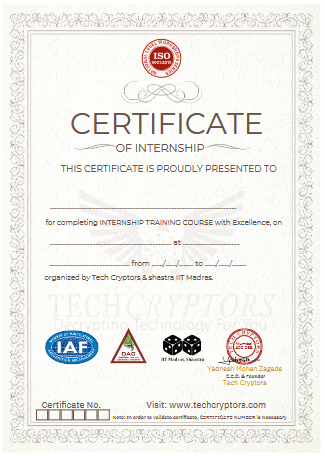
Yes. Tech Cryptors Training Academy is an ISO 9001:2015 CERTIFIED COMPANY under IAF. CERTIFICATION will have the significance of the above.
We conduct this course in BOTH online and offline modes. You can choose the mode suitable for you, even you can SWITCH modes for a couple of lectures in case of any personal issues and emergencies.
In one batch we allow MAXIMUM 4 students Because we believe that to have a better understanding and to excel in this course PERSONAL ATTENTION is needed.
We have new batches starting every 15 days, But you should register asap for your desired date because our batches are filling fast. Batch timings are also kept AS PER YOUR TIME CONVENIENCE, we don’t have any rigid preassigned slots.
Well, you can SCROLL DOWN and click on WHATSAPP CHAT text OR CLICK HERE to talk with our customer care executive. We are happy to help you with all of your questions and details.
Understand the difference between frontend and backend development and how both parts work together in a web application.
Explore the basics of React and understand how modern user interfaces are structured and managed.
Learn how APIs allow applications to communicate and exchange data between systems.
Understand database fundamentals, including how information is stored, managed, and retrieved within applications.
Learn the basics of authentication and how applications verify and manage user access.
Explore deployment fundamentals and understand how applications are published and made accessible online.
Learn GitHub basics and understand how source code is stored, managed, and version controlled.
Understand the structure of AI-generated projects and learn how different files and folders are organized.
Learn how to identify frontend files responsible for user interface design and interactions.
Understand how to locate backend and API files that handle business logic and data processing.
Learn how to identify database and schema files that define application data structures.
Explore how to manually edit generated UI content, including text, labels, and page sections.
Learn how to modify colors, buttons, layouts, and design elements within generated applications.
Understand how to troubleshoot and resolve simple frontend errors that may occur during development.
Learn how to use browser inspection tools to examine layouts, styles, and application behavior.
Learn how to write clear, structured, and effective prompts for building applications with AI.
Understand prompt frameworks specifically designed for web application development.
Explore prompt structures for creating dashboards with analytics, reports, and management features.
Learn how to write prompts for SaaS applications with multiple users, workflows, and subscription-based functionality.
Understand how to create prompts for admin panels that include user management, reporting, and access control features.
Learn how to request changes and enhancements from AI tools without disrupting existing functionality.
Explore techniques for providing step-by-step instructions that help AI coding tools generate more accurate results.
Learn how to create a comprehensive master prompt that covers all aspects of a web application project.
Understand how to create detailed prompts for user interface and user experience design.
Learn how to generate database structures and relationships through effective database design prompts.
Explore how to create prompts for authentication systems, including login, registration, and access management.
Learn how to create prompts for generating complete admin dashboards with management functionality.
Understand how to write effective bug-fixing prompts that help identify and resolve issues quickly.
Learn how to create deployment prompts that guide AI tools in preparing applications for production environments.
Explore prompts for security reviews and identifying common vulnerabilities in generated applications.
Learn how to create testing checklist prompts that help verify application functionality and quality.
Learn the fundamentals of Lovable and understand how it enables full-stack application development using natural language prompts.
Explore how to create complete applications by describing requirements without writing large amounts of code.
Learn how to generate pages, reusable components, forms, and dashboards within Lovable projects.
Understand the basics of database integration and how application data is managed and connected.
Learn how authentication systems are implemented within Lovable-generated applications.
Explore the fundamentals of Supabase-style backend architecture and data management concepts.
Learn how to safely iterate and improve applications through structured prompts and incremental updates.
Understand how to publish, preview, and share applications created with Lovable.
Build a professional landing page using natural language instructions.
Create a complete login and signup workflow for user authentication.
Develop user dashboards that display relevant information and application functionality.
Build admin dashboards with management and monitoring features.
Create complete CRUD modules that support adding, viewing, editing, and deleting records.
Learn how to implement form validation to improve data quality and user experience.
Add search and filtering functionality to help users find information efficiently.
Modify and improve application designs using prompt-based customization techniques.
Connect projects to GitHub for source code management and version control.
Deploy and share completed projects for testing and demonstration purposes.
Review generated code and learn how to identify frontend and backend components within the project structure.
Learn the fundamentals of Bolt.new and how it enables rapid web application and prototype development.
Explore the browser-based coding environment and understand how projects are created and managed.
Learn how Bolt.new generates React and Next.js style applications from prompts.
Understand the structure and organization of generated project files and folders.
Learn how to edit, improve, and extend generated code using AI-assisted development.
Explore techniques for adding new pages, layouts, and reusable components to applications.
Understand common debugging workflows for resolving issues in generated projects.
Learn deployment fundamentals and how applications are prepared for public access.
Generate responsive websites that adapt to different screen sizes and devices.
Build multi-page React applications with structured navigation and user flows.
Add navigation bars, footers, cards, and forms to create complete user experiences.
Create dashboards with tables, charts, and data visualization components.
Learn how to use API-style mock data for development and testing purposes.
Fix user interface issues using structured prompts and debugging techniques.
Explore how to manually edit generated code to implement custom requirements.
Add dark mode and light mode functionality to improve user experience.
Export projects or connect them to GitHub repositories for version control.
Deploy completed applications and make them accessible online.
Learn the fundamentals of Replit Agent and understand how AI-assisted development works within the Replit environment.
Explore how applications can be generated directly from natural language prompts.
Understand how Replit runs and executes applications within a browser-based development environment.
Learn the basics of backend development and database integration using Replit.
Explore the role of secrets and environment variables in securing application configurations.
Learn how AI-assisted debugging can help identify and resolve development issues more efficiently.
Understand how Replit applications can be published and shared with users.
Generate complete Python Flask or Node.js applications using AI-generated workflows.
Build applications that include both frontend and backend functionality.
Create form submission workflows that collect and process user data.
Learn how to store data using files, databases, or external database services.
Understand how to configure and manage environment variables securely.
Fix runtime errors and application issues through systematic debugging techniques.
Learn how to read and interpret logs to identify and troubleshoot problems.
Explore how to ask Replit Agent for explanations of generated code and application logic.
Deploy and publish completed applications directly from the Replit platform.
Test applications using public links and validate their functionality in real-world scenarios.
Learn the fundamentals of Emergent and understand how conversational AI can be used for application development.
Explore how AI agents collaborate to generate application interfaces, logic, and workflows.
Learn how to describe complete application requirements through conversational prompts.
Understand the workflow for generating user interfaces, application logic, backend functionality, and deployment processes.
Explore how Emergent can be used to build MVPs quickly and efficiently.
Compare Emergent with Lovable and Bolt.new to understand their strengths, differences, and use cases.
Create complete applications from business ideas using AI-assisted development.
Generate end-to-end application workflows that include users, features, and business processes.
Add user roles and permission systems to manage access within applications.
Build dashboards that present information and functionality for different types of users.
Create forms and tables for data collection and management.
Learn how to modify application designs using prompts and conversational instructions.
Add new features and enhancements after the initial application generation process.
Test generated applications to verify functionality and user experience.
Deploy and share applications with stakeholders and users.
Review generated outputs and identify potential mistakes, issues, or areas for improvement.
Learn why testing is essential for applications created through vibe coding and AI-assisted development.
Understand common mistakes that occur in AI-generated applications and how to identify them.
Explore techniques for finding and resolving user interface bugs and design issues.
Learn how to detect and fix broken forms and data submission workflows.
Understand database permission issues and how they can impact application security and functionality.
Explore common API security concerns and learn how to review generated integrations.
Learn how authentication mistakes can create security risks within applications.
Understand the dangers of hardcoded keys, secrets, and sensitive configuration values.
Explore deployment-related mistakes that can affect application availability and security.
Test login and logout functionality to ensure proper user authentication workflows.
Learn how to plan and develop a complete full-stack application using AI coding agents.
Test CRUD operations to ensure records can be created, viewed, updated, and deleted correctly.
Review responsive design behavior across different devices and screen sizes.
Learn how to identify and troubleshoot API errors and integration issues.
Find broken buttons, links, and navigation elements within applications.
Verify that private pages and restricted features are properly protected from unauthorized access.
Review environment variable configurations to ensure sensitive information is securely managed.
Create a comprehensive testing checklist for validating application quality before deployment.
Learn how to use AI tools to perform application security reviews and identify potential vulnerabilities.
Click Here to view a complete step-by-step guide on how to install Python
Click Here to view a complete step-by-step guide on how to install PyCharm
Note For Certification
Earn Certificate
Share Your Achivement
Validated by Ethereum
Original Price
₹30,999 /Course
- Max 4 Students per batch
- 1 to 1 Interaction
- Online & Offline mode
- only Video Training
- limited sessions
- Big batches
Current Price
₹21,999 /Course
- Industry level content
- 100% Practical Training
- Experienced Trainers
- Certification for Course
- Corporate Level Examples
- Many other discounts ASK NOW

Reattempt
₹0/Course
- Free Reattempting of Course
- Long Term Support after Completion
- Free Doubt Solving Sessions / Chats
- Discount for Next Courses
- Real-Time Tasks
- Suggestions & Carrer Counselling
Original Price
₹26,999 /Course
- Max 4 Students per batch
- 1 to 1 Interaction
- Online & Offline mode
- only Video Training
- limited sessions
- Big batches
Current Price
₹19,999 /Course
- Industry level content
- 100% Practical Training
- Experienced Trainers
- Certification for Course
- Corporate Level Examples
- Many other discounts ASK NOW

Reattempt
₹0/Course
- Free Reattempting of Course
- Long Term Support after Completion
- Free Doubt Solving Sessions / Chats
- Discount for Next Courses
- Real-Time Tasks
- Suggestions & Carrer Counselling