
Supabase Course
Learn to build secure, scalable, and production-ready backends using Supabase and Postman through hands-on practical implementation.
Supabase Course
We have Trained professionals from











Learn what Supabase is and understand how it helps developers build modern applications with a powerful backend platform.
Explore Supabase as a Backend-as-a-Service (BaaS) solution and understand how it reduces backend development effort.
Understand the differences between Supabase and Firebase to determine which platform is suitable for different project requirements.
Get a complete overview of all major Supabase services and understand how they work together in a real application.
Learn how to use the PostgreSQL Database service provided by Supabase for storing and managing application data.
Explore Supabase Authentication and understand how user registration, login, and security are handled.
Learn how Supabase Storage can be used to upload, manage, and serve files within applications.
Understand Supabase Realtime features and learn how applications can receive instant database updates.
Explore Edge Functions and understand how server-side logic can be executed within Supabase projects.
Learn about the APIs automatically generated by Supabase and how they simplify backend integration.
Discover real-world use cases of Supabase and understand where it is commonly used in production applications.
Learn how to create a Supabase account and get started with the platform.
Create your first Supabase project and understand the essential project configuration steps.
Yes. Tech Cryptors Training Academy is an ISO 9001:2015 CERTIFIED COMPANY under IAF. CERTIFICATION will have the significance of the above.
We conduct this course in BOTH online and offline modes. You can choose the mode suitable for you, even you can SWITCH modes for a couple of lectures in case of any personal issues and emergencies.
In one batch we allow MAXIMUM 4 students Because we believe that to have a better understanding and to excel in this course PERSONAL ATTENTION is needed.
We have new batches starting every 15 days, But you should register asap for your desired date because our batches are filling fast. Batch timings are also kept AS PER YOUR TIME CONVENIENCE, we don’t have any rigid preassigned slots.
Well, you can SCROLL DOWN and click on WHATSAPP CHAT text OR CLICK HERE to talk with our customer care executive. We are happy to help you with all of your questions and details.
Explore the Supabase dashboard and become familiar with its tools, menus, and project management features.
Understand the purpose of the project URL and learn where it is used during API integration.
Learn the difference between the anon key and service_role key and understand their specific use cases.
Create a dedicated Postman workspace for testing and managing Supabase APIs efficiently.
Learn how to configure Supabase URL and API keys as Postman environment variables for easier API testing.
Learn PostgreSQL fundamentals and understand how relational databases store and organize data.
Explore tables, rows, and columns to understand the basic structure of database systems.
Learn how primary keys uniquely identify records and how foreign keys create relationships between tables.
Understand commonly used PostgreSQL data types and learn how to choose the appropriate type for different data.
Explore database constraints and understand how they help maintain data accuracy and consistency.
Learn how relationships work between tables and understand relational database design concepts.
Build a strong foundation in SQL and learn the essential commands used for database operations.
Create database tables using the Supabase Table Editor without writing SQL code.
Learn how to create tables using the SQL Editor for greater flexibility and control.
Add columns with appropriate data types and understand how field definitions affect stored data.
Insert sample records into database tables and understand how data is stored.
Learn how to update existing records and modify data efficiently.
Explore methods for deleting records safely from database tables.
Create relationships between multiple tables and understand how connected data is managed.
Write SQL queries to retrieve, filter, sort, and manipulate database records.
Build a complete project database by creating Students, Courses, Enrollments, Fees, and Admin Users tables.
Understand how these tables work together to represent a real-world student management system.
Learn what REST APIs are and understand how applications communicate with backend services.
Explore the purpose of HTTP methods and understand when to use GET, POST, PATCH, and DELETE requests.
Learn how request headers are used to send authentication and configuration information.
Understand request bodies and learn how data is submitted through API requests.
Explore query parameters and learn how they help filter and customize API responses.
Understand API response status codes and learn how to interpret successful and failed requests.
Discover how Supabase automatically generates REST APIs for database tables.
Create a structured Postman collection for organizing and testing Supabase APIs.
Learn how to configure required headers such as apikey, Authorization, and Content-Type.
Fetch database records using GET requests and understand response structures.
Insert new records into tables using POST requests.
Update existing records using PATCH requests and verify the changes through API responses.
Delete records using DELETE requests and understand safe deletion practices.
Apply filters through query parameters to retrieve specific records.
Learn how to select only required columns to optimize API responses.
Sort records using API parameters and understand result ordering techniques.
Limit API responses to control the number of returned records.
Test relationship-based responses and understand how related table data can be retrieved.
Build a complete CRUD API testing collection in Postman for practical project implementation.
Learn the fundamentals of Supabase Authentication and understand how user identity is managed.
Explore email and password authentication workflows used in modern applications.
Understand access tokens and refresh tokens and learn how they support secure user sessions.
Learn the concept of user sessions and how authenticated users remain logged in.
Understand how authenticated API requests differ from public API requests.
Explore the difference between public and protected APIs and learn when authentication is required.
Enable email and password authentication within a Supabase project.
Create and test user signup API requests using Postman.
Build login API requests and verify successful authentication responses.
Learn how to extract access tokens from login responses.
Store authentication tokens in Postman variables for automated API testing.
Use Bearer tokens in authenticated API requests.
Test logout functionality and understand session termination.
Explore refresh token APIs and learn how expired access tokens can be renewed.
Retrieve current user details using authentication tokens.
Test invalid token and expired token scenarios to understand authentication error handling.
Learn what Row Level Security (RLS) is and understand how it protects sensitive application data.
Explore why RLS is an essential security feature in Supabase projects.
Understand the difference between public access and authenticated access to database records.
Learn the purpose of SELECT policies and control who can view data.
Explore INSERT policies and understand how users can be allowed to create records securely.
Learn how UPDATE policies restrict record modifications based on ownership rules.
Understand DELETE policies and control who can remove records from the database.
Explore user-specific data security concepts for multi-user applications.
Learn how the auth.uid() function identifies the currently logged-in user.
Enable RLS on database tables and understand its impact on API access.
Test API behavior before applying security policies to understand default access rules.
Create SELECT policies for authenticated users and verify access permissions.
Build INSERT policies that allow authorized users to add new records.
Create UPDATE policies that restrict modifications to record owners only.
Configure DELETE policies that allow users to remove only their own records.
Use authenticated user tokens in Postman to test policy behavior.
Test data access with multiple users and validate security rules.
Verify that one user cannot access another user’s private data.
Learn how to identify and resolve common RLS policy errors.
Build a secure Notes API where users can access and manage only their own notes.
Learn what Supabase Storage is and understand how files are managed within applications.
Explore the concept of storage buckets and how they organize uploaded files.
Understand the difference between public buckets and private buckets.
Learn the complete file upload workflow used in modern web applications.
Explore file access policies and understand how file permissions are controlled.
Learn storage security best practices for protecting uploaded content.
Create storage buckets and configure them for different use cases.
Upload files directly through the Supabase dashboard.
Learn how to upload files using Storage APIs through Postman.
Upload images and files using multipart form-data requests.
Generate and access public file URLs for publicly available content.
Download stored files using API requests in Postman.
Delete files using Storage APIs and verify successful removal.
Create private buckets to secure sensitive files and documents.
Apply storage policies to control file access permissions.
Test user-specific file access scenarios and verify storage security rules.
Explore common use cases of realtime applications such as chat systems, notifications, and live dashboards.
Understand how Supabase detects and broadcasts database change events.
Learn the concepts of INSERT, UPDATE, and DELETE realtime events.
Explore the limitations of testing realtime functionality using Postman.
Enable realtime functionality on database tables within Supabase.
Insert records using Postman and understand how realtime events are triggered.
Update records and observe how changes generate realtime notifications.
Monitor realtime database changes directly from the Supabase dashboard.
Understand the complete flow of realtime events from database changes to client updates.
Explore the architecture behind chat applications and live dashboards powered by Supabase Realtime features.
Click Here to view a complete step-by-step guide on how to install Python
Click Here to view a complete step-by-step guide on how to install PyCharm
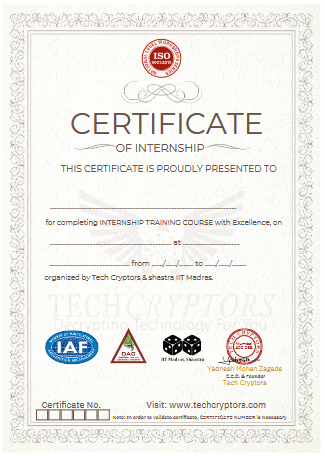
Note For Certification
Earn Certificate
Share Your Achivement
Validated by Ethereum
Original Price
₹30,999 /Course
- Max 4 Students per batch
- 1 to 1 Interaction
- Online & Offline mode
- only Video Training
- limited sessions
- Big batches
Current Price
₹21,999 /Course
- Industry level content
- 100% Practical Training
- Experienced Trainers
- Certification for Course
- Corporate Level Examples
- Many other discounts ASK NOW

Reattempt
₹0/Course
- Free Reattempting of Course
- Long Term Support after Completion
- Free Doubt Solving Sessions / Chats
- Discount for Next Courses
- Real-Time Tasks
- Suggestions & Carrer Counselling
Original Price
₹26,999 /Course
- Max 4 Students per batch
- 1 to 1 Interaction
- Online & Offline mode
- only Video Training
- limited sessions
- Big batches
Current Price
₹19,999 /Course
- Industry level content
- 100% Practical Training
- Experienced Trainers
- Certification for Course
- Corporate Level Examples
- Many other discounts ASK NOW

Reattempt
₹0/Course
- Free Reattempting of Course
- Long Term Support after Completion
- Free Doubt Solving Sessions / Chats
- Discount for Next Courses
- Real-Time Tasks
- Suggestions & Carrer Counselling