
AI Coding Agents Course
Master AI-Powered Software Development with VS Code
AI Coding Agents Course
Master the power of AI-driven software development with Visual Studio Code and modern AI coding agents. This course is designed to help developers, students, and technology enthusiasts learn how to use tools such as Blackbox AI, OpenAI Codex, GitHub Copilot, Kilo Code, and Cline to build applications faster and more efficiently.
Explore prompt engineering, frontend and backend development, API creation, debugging, testing, documentation, and full-stack project development through practical hands-on exercises and real-world projects. By the end of the course, you will be able to confidently leverage AI coding agents to plan, generate, review, debug, and deploy modern web applications while following industry best practices.
We have Trained professionals from











Learn what AI coding agents are and how they assist developers in writing, understanding, and improving code.
Understand the difference between AI chatbots, AI code assistants, and AI coding agents, along with their practical use cases.
Explore how AI coding agents work inside Visual Studio Code and interact with project files and codebases.
Learn the benefits of using AI coding agents to improve productivity, reduce repetitive work, and accelerate development.
Understand the limitations of AI-generated code and recognize situations where manual intervention is required.
Learn the importance of reviewing, testing, and validating AI-generated code before using it in production environments.
Explore popular AI coding tools including Blackbox AI, OpenAI Codex, GitHub Copilot, Kilo Code, and Cline.
Learn how to install and configure Visual Studio Code for AI-assisted development.
Explore the process of installing and setting up AI coding extensions within VS Code.
Learn how to generate simple HTML, CSS, and JavaScript code using AI-powered coding tools.
Understand the differences between manual coding and AI-assisted coding through practical examples.
Learn how to identify, review, and correct mistakes in AI-generated code outputs.
Learn what frontend development is and understand its role in creating user interfaces and user experiences.
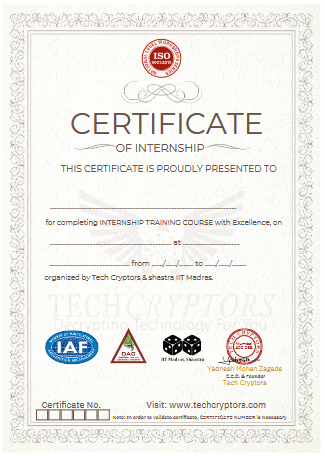
Yes. Tech Cryptors Training Academy is an ISO 9001:2015 CERTIFIED COMPANY under IAF. CERTIFICATION will have the significance of the above.
We conduct this course in BOTH online and offline modes. You can choose the mode suitable for you, even you can SWITCH modes for a couple of lectures in case of any personal issues and emergencies.
In one batch we allow MAXIMUM 4 students Because we believe that to have a better understanding and to excel in this course PERSONAL ATTENTION is needed.
We have new batches starting every 15 days, But you should register asap for your desired date because our batches are filling fast. Batch timings are also kept AS PER YOUR TIME CONVENIENCE, we don’t have any rigid preassigned slots.
Well, you can SCROLL DOWN and click on WHATSAPP CHAT text OR CLICK HERE to talk with our customer care executive. We are happy to help you with all of your questions and details.
Explore backend development concepts and understand how server-side applications process data and business logic.
Learn what databases are and how they are used to store, manage, and retrieve application data.
Understand what APIs are and how they enable communication between different software systems.
Explore how frontend applications, backend services, and databases work together in a complete application.
Learn the fundamentals of full-stack development and understand the responsibilities of each layer.
Understand common project structures used in modern web development projects.
Learn how to create a basic HTML webpage and structure content effectively.
Explore CSS styling techniques to improve the appearance and responsiveness of web pages.
Learn how to add JavaScript functionality and handle user interactions through events.
Understand the basics of creating React components and building reusable UI elements.
Learn how to create a simple backend API for handling application requests.
Explore API testing using Postman or Thunder Client to verify functionality and responses.
Understand basic database table and collection structures used in relational and non-relational databases.
Learn how to write clear and effective prompts that produce accurate coding results from AI agents.
Understand how to provide complete project requirements to generate better code outputs.
Explore stack-based prompting techniques for specific technology stacks and frameworks.
Learn file-based prompting methods for modifying and generating code within existing projects.
Understand error-based prompting techniques for resolving coding and runtime issues.
Explore debugging prompts that help AI agents identify and fix application errors.
Learn how to use refactoring prompts to improve code quality, readability, and maintainability.
Understand code explanation prompts for analyzing and learning unfamiliar codebases.
Explore security review prompts for identifying potential vulnerabilities and coding risks.
Practice writing prompts for creating login pages with proper functionality and structure.
Learn how to generate React components through detailed prompt instructions.
Explore prompt techniques for creating backend APIs and server-side functionality.
Learn how to write prompts for fixing JavaScript errors and troubleshooting issues.
Understand how to generate explanations for existing code using AI agents.
Explore prompts for refactoring repeated code and improving project organization.
Learn how to generate database schemas and data structures using AI assistance.
Understand how to create README documentation through well-structured prompts.
Learn what Blackbox AI is and how it assists developers inside Visual Studio Code.
Explore the installation and configuration process of the Blackbox AI extension.
Learn how to use AI-powered code completion to speed up development workflows.
Understand how to generate code directly from comments and requirements.
Explore code explanation features for understanding existing applications and logic.
Learn how to debug coding issues and resolve errors using Blackbox AI assistance.
Understand how to generate technical documentation and project explanations.
Explore methods for improving and optimizing existing code using AI suggestions.
Learn how to create HTML and CSS layouts using natural language instructions.
Understand how to generate JavaScript form validations and client-side functionality.
Explore React component generation using Blackbox AI capabilities.
Learn how to analyze and explain existing code structures.
Understand techniques for fixing broken or incomplete code efficiently.
Explore automated comment generation and documentation creation features.
Learn what OpenAI Codex is and understand its role in AI-assisted software development.
Explore the installation and setup process of the Codex extension in Visual Studio Code.
Learn how to use Codex within existing project folders and development environments.
Understand how Codex analyzes and explains project structures and file organization.
Explore techniques for adding new features to existing applications using AI assistance.
Learn how to debug frontend and backend errors with Codex-generated solutions.
Understand code review processes and AI-assisted quality improvements.
Explore automated documentation generation for projects and codebases.
Learn how to open and analyze existing projects using Codex.
Understand project folder structures through AI-generated explanations.
Explore feature development workflows using AI-assisted implementation.
Learn how to fix frontend issues and improve application functionality.
Understand how to create backend API routes using AI-generated code.
Explore README generation for project documentation.
Learn how to generate basic test cases for application validation.
Understand the importance of reviewing and validating AI-generated changes before implementation.
Learn what GitHub Copilot is and how it assists developers through AI-powered coding suggestions.
Explore the installation and configuration process of GitHub Copilot in Visual Studio Code.
Learn how to set up and connect a GitHub account for Copilot access.
Understand inline code completion and how it accelerates development workflows.
Explore Copilot Chat for code generation, explanations, and troubleshooting.
Learn how to use Copilot Edits for modifying existing code efficiently.
Understand Copilot Agent Mode and its capabilities for project-level assistance.
Explore code explanation features for understanding complex codebases.
Learn how to debug coding errors using AI-generated recommendations.
Understand automated test case generation and validation techniques.
Explore code generation through comments and natural language instructions.
Learn how to use inline autocomplete suggestions effectively.
Understand React component creation using Copilot assistance.
Explore backend API development using AI-generated code.
Learn how to generate unit test cases for application testing.
Understand debugging workflows using terminal error analysis.
Explore methods for improving code quality and maintainability.
Learn what Kilo Code is and understand its AI-assisted development capabilities.
Explore the installation and setup process of the Kilo Code extension.
Learn how to generate code using natural language instructions.
Understand project planning techniques supported by AI-powered assistance.
Explore inline autocomplete features for faster coding workflows.
Learn how to automate development tasks using Kilo Code.
Understand code refactoring techniques for improving maintainability.
Explore debugging workflows for identifying and resolving application issues.
Learn how to perform multi-file code modifications efficiently.
Understand project structure generation using AI assistance.
Explore frontend component development using natural language prompts.
Learn how to create backend APIs and server-side functionality.
Understand how to refactor duplicated and repetitive code.
Explore methods for fixing syntax errors and runtime issues.
Learn how to generate API documentation automatically.
Understand the importance of reviewing generated code before implementation.
Learn what Cline is and understand its role as an AI-powered development agent.
Explore the installation and configuration process of the Cline extension.
Learn how to configure model providers and API integrations.
Understand the differences between Plan Mode and Act Mode.
Explore project-level instruction workflows for guiding AI actions.
Learn how Cline reads, analyzes, and modifies project files.
Understand terminal command execution with approval-based workflows.
Explore debugging techniques using terminal outputs and error logs.
Learn how to review file modifications before accepting changes.
Understand project structure analysis using AI assistance.
Explore feature planning and implementation workflows.
Learn how to generate frontend components within existing projects.
Understand backend API route creation using AI guidance.
Explore multi-file modifications and coordinated updates.
Learn how to run project commands and development workflows.
Understand build error troubleshooting and resolution techniques.
Explore safe review practices for AI-generated file changes.
Learn how to plan and develop a complete full-stack application using AI coding agents.
Understand how to create project requirements and convert them into development tasks.
Explore frontend generation workflows using AI-powered development tools.
Learn how to generate backend functionality through AI assistance.
Understand database schema creation and application data modeling.
Explore frontend and backend integration techniques.
Learn how to test APIs and validate application functionality.
Understand methods for identifying and fixing AI-generated errors.
Learn how to read and understand terminal errors during development.
Explore common frontend errors and methods for resolving them efficiently.
Understand common backend errors and troubleshooting techniques.
Learn how to identify and fix common database-related issues.
Explore API testing fundamentals using Postman and similar tools.
Understand Git and GitHub workflows for version control and collaboration.
Learn the fundamentals of deploying frontend and backend applications.
Practice fixing frontend issues through real-world debugging exercises.
Learn how to diagnose and resolve backend application errors.
Explore API testing workflows and response validation techniques.
Understand how to push projects to GitHub repositories.
Learn how to create professional README documentation files.
Explore deployment processes for making applications accessible online.
Click Here to view a complete step-by-step guide on how to install Python
Click Here to view a complete step-by-step guide on how to install PyCharm
Note For Certification
Earn Certificate
Share Your Achivement
Validated by Ethereum
Original Price
₹30,999 /Course
- Max 4 Students per batch
- 1 to 1 Interaction
- Online & Offline mode
- only Video Training
- limited sessions
- Big batches
Current Price
₹21,999 /Course
- Industry level content
- 100% Practical Training
- Experienced Trainers
- Certification for Course
- Corporate Level Examples
- Many other discounts ASK NOW

Reattempt
₹0/Course
- Free Reattempting of Course
- Long Term Support after Completion
- Free Doubt Solving Sessions / Chats
- Discount for Next Courses
- Real-Time Tasks
- Suggestions & Carrer Counselling
Original Price
₹26,999 /Course
- Max 4 Students per batch
- 1 to 1 Interaction
- Online & Offline mode
- only Video Training
- limited sessions
- Big batches
Current Price
₹19,999 /Course
- Industry level content
- 100% Practical Training
- Experienced Trainers
- Certification for Course
- Corporate Level Examples
- Many other discounts ASK NOW

Reattempt
₹0/Course
- Free Reattempting of Course
- Long Term Support after Completion
- Free Doubt Solving Sessions / Chats
- Discount for Next Courses
- Real-Time Tasks
- Suggestions & Carrer Counselling